

MetaTrader 5
The platform your Arrow Trade account runs on: what it does, how its main tools work, and what you need to log in.
Download MetaTrader 5
Choose your device, then sign in with your Arrow Trade trading-account details. If asked for a server, select ArrowTrade-Live.
Trading server: ArrowTrade-Live
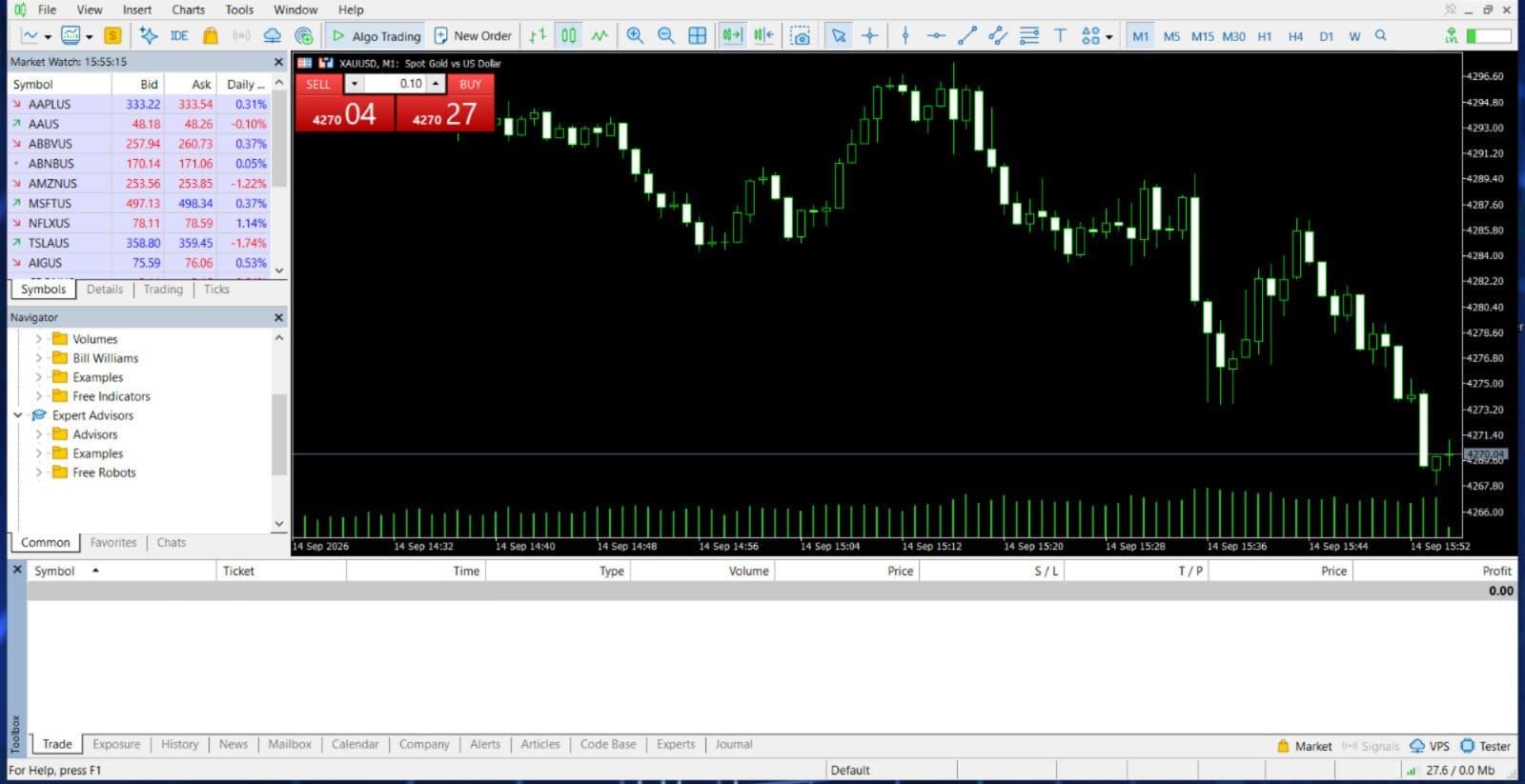
Supplied desktop capture dated 14 September 2026. Historical prices are shown for illustration only; they are not live quotes or a list of currently available instruments.
What MetaTrader 5 is
MetaTrader 5 is a trading platform developed by MetaQuotes and used by brokers around the world. Arrow Trade provides the account and the prices. MetaTrader 5 is the software you use to watch those prices, place orders and manage open positions.
Download the Arrow Trade Windows terminal or the MetaTrader 5 app for iPhone, iPad or Android using the links above. Select ArrowTrade-Live when connecting to your trading account.
Order types
A market order opens a position at the next available price. A pending order waits until price reaches a level you set. MetaTrader 5 supports the following:
- Market orders to buy or sell at the current price
- Buy limit and sell limit: enter at a better price than the current one
- Buy stop and sell stop: enter once price moves through a level, in the direction of the move
- Buy stop limit and sell stop limit: when a stop level is reached, a limit order is placed at a second level
- Stop loss and take profit, attached to an open position or to a pending order
- Trailing stop, which moves the stop loss behind price as a trade moves in your favour. It works only while the desktop terminal is open
A stop loss is an instruction, not a guarantee. In a fast market, or when price gaps, a position can close at a worse price than the level you set.
Depth of market
The depth of market window lists the prices above and below the current quote, with the volume available at each. You can place and change orders directly from it.
What the window shows depends on the data supplied for your account and instrument. Ask the team whether depth of market is available for the instruments you intend to use.
One-click trading
With one-click trading switched on, a single click on the chart or in the market watch window sends an order straight away, with no confirmation step. It is off by default. Switching it on means a mis-click becomes a trade, so it suits people who already know the platform well.
Expert Advisors and indicators
Expert Advisors are programs that analyse prices and place trades on their own. Custom indicators add calculations to a chart. Both are written in MQL5, the platform's programming language, and you can write them yourself, buy them from the MetaQuotes marketplace or install them from a file.
An Expert Advisor runs in the desktop terminal and stops when the terminal closes, which is why traders who need one running around the clock use a virtual private server. The strategy tester lets you run an Expert Advisor on historical data before it trades on a live account. A good test result does not predict future results.
Hedging and netting accounts
Every MetaTrader 5 account uses one of two position modes, set on the server when the account is created.
In hedging mode, each trade is a separate position. You can hold a buy and a sell on the same instrument at the same time, and close each one on its own.
In netting mode, there is one position per instrument. A new trade in the same direction adds to it; a trade in the opposite direction reduces it, closes it or reverses it.
The mode changes how orders behave and how margin is calculated. Ask the team which mode applies to your account before you trade.
Logging in with an Arrow Trade account
Use the login and password issued for your trading account and select the ArrowTrade-Live server. Your MT5 trading-account credentials are separate from your client-portal sign-in.
Install the version for your device using the download links above. If the server is not selected automatically, search for ArrowTrade-Live in MetaTrader 5. Contact support if you need help finding your trading-account details.
An investor password, where provided, allows viewing without trading access. Keep your main password and sign-in verification codes private.
Questions
Does MetaTrader 5 cost anything to use?
MetaQuotes distributes MetaTrader 5 terminals free of charge. Ask Arrow Trade for the current spreads, commissions and other trading conditions that apply to your account.
Can I use the same account on desktop and mobile?
Use the same Arrow Trade MT5 trading-account login and password on Windows, iPhone, iPad or Android, and select the ArrowTrade-Live server.
Will an Expert Advisor run on my phone?
No. The mobile app shows the positions an Expert Advisor has opened and lets you manage them, but the Expert Advisor itself runs only in the desktop terminal.
What is the difference between the main password and the investor password?
The main password gives full trading access. The investor password lets someone view the account, its positions and its history without being able to trade, which is useful if you want another person to see your results.
Where do I find my server name?
Select ArrowTrade-Live in MetaTrader 5. If it is not selected automatically, search for that exact name when adding an existing trading account.
Can I deposit or withdraw inside MetaTrader 5?
Use the Arrow Trade client portal for deposit and withdrawal requests. Review the available methods and requirements shown for your account.
Explore demo account options
Ask the Arrow Trade team about demo availability and setup.